
Knowledge base
Feed the agent websites, PDFs and text; keep it fresh with auto-sync; test what it knows.
The knowledge base is what your agent answers from. Add sources on the Knowledge tab:
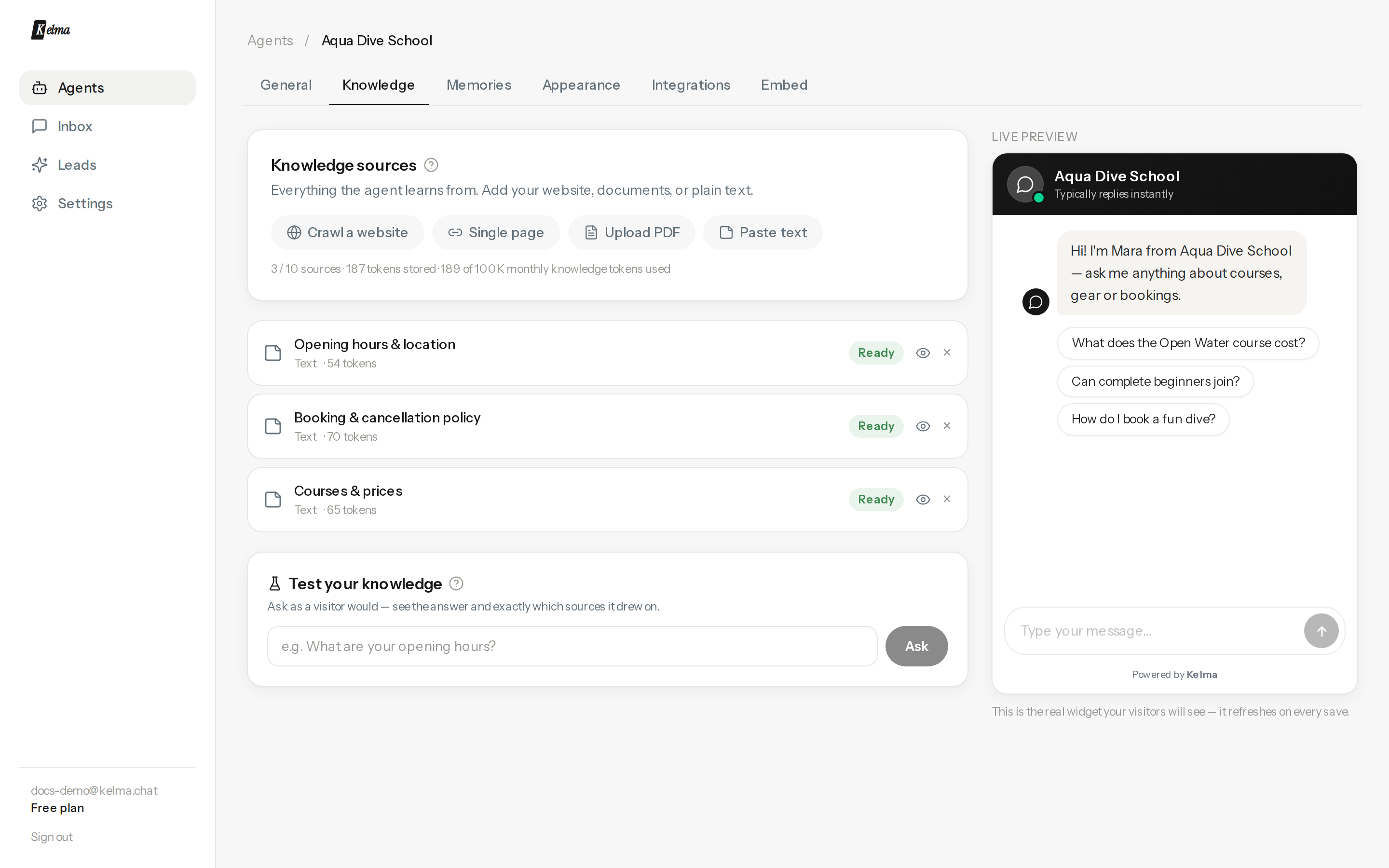
Source types
- Crawl a website — enter your domain, Kelma discovers the pages (sitemap-aware), you tick the ones to import.
- Single page — one URL, e.g. a pricing or FAQ page. Google Docs, Sheets and Slides links work here too — set the file to Anyone with the link can view and paste it; the agent reads the exported text, and auto-sync keeps it fresh like any other page.
- Upload a file — PDF, Word (.docx), CSV, plain text or Markdown, up to 15 MB. PDFs need selectable text (scans aren't supported yet).
- Paste text — FAQs, policies, product details; anything not on a page.
- Q&A pairs — write the exact answer for the questions that matter most (price objections, delivery areas, opening hours). Each pair is retrieved on its own, so the agent uses your wording instead of paraphrasing crawled text. All pairs live in one source; reopen Q&A pairs (or press Edit on the source) to change them.
- YouTube video — paste a video link and the agent learns its transcript (works with auto-generated captions too). Great for product demos, tutorials and recorded talks.
- Notion — no OAuth dance: create an internal integration at notion.so/profile/integrations, share the pages you want with it (⋯ → Connections), paste its secret once, and pick the pages to import. Databases (list, table and board pages) work too — their rows are imported as content.
Each source shows its status, page count, and how many tokens it stores. Your plan sets the number of sources per agent and a monthly knowledge-token budget (importing and re-syncing consume it).
Keeping content fresh
Web sources re-fetch themselves automatically — choose daily, weekly (default), monthly, or off per source, or press ↻ Re-sync any time for an immediate refresh.
See exactly what the agent learned
Click the eye on any ready source to read the stored text — rebuilt from the very passages the agent searches, so it's an honest view of its knowledge (not a re-fetch of your site).
Test your knowledge
At the bottom of the tab, ask a question the way a visitor would. You get the agent's real answer plus the exact passages it drew on — the fastest way to debug "why didn't it know that?". If the right passage isn't listed, the content probably isn't in your sources yet.